Labels

Tuesday, 16 April 2013

Make limited Broadband faster

How to make your limited broadband faster well,using broadband sometimes slow,so today i gonna show you some trick

1)first of all,we need to do is run cmd (must connect to internet).


2)next,type in “ipconfig/all” and hit enter.


3)once you do that,connection ­ list will come out.search for your modem name (broadband name).


4)ok,type in “ping [ip address] -t” Example: ping 10.175.53.131-t .and hit enter.


5)let cmd like that.close it,if you don't want to use.

How to Prevent Keystroke Logging

How to Prevent Keystroke Logging

Keystroke logging is a technique which allows malicious users to keep track of everything you type on a computer. If someone is logging your keystrokes, sensitive information can be compromised. Any user account and password combination, bank account number or other personal information you type will be recorded to a file or sent over the Internet. If you want to keep your personal information safe, there are precautions you can take to prevent keystroke logging.

Instructions
1-->
Check for hardware keyloggers. These are usually small devices that connect between your keyboard cable and your computer. Remove any device that is located between your keyboard cable and your computer.

2-->
Enter passwords and other sensitive information in a way that will confuse keyloggers. Type random characters in between important characters and delete them with the mouse, add in extra mouse clicks or click and type random characters in the address bar in between typing characters into a password box.
Security Task Manager
Detects all hidden processes, Trojans and Spyware on your PC
www.neuber.com/TaskManager
3-->
Install a firewall. Set up the firewall to notify you anytime a program wants to send information across the Internet. Watch for unknown programs that might be sending out keystroke logs and deny them access to the Internet.

4-->
Download an anti-spyware program. Install the program after download and run a full system scan. Remove any threats that the software finds. Reboot your computer and scan it again until no threats are found. Scan your computer regularly to ensure no new threats are installed.

How to Stop Key Logging

How to Stop Key Logging
"Keyloggers" are a type of malicious software that can keep a full record of every key that is pressed on your keyboard. Any passwords, PINs, or account numbers you type while a keylogger is installed on your computer will be recorded in a log that can be retrieved by an attacker or spy. If you suspect that someone is using a keylogger on your computer to spy on you or steal sensitive information, you should do everything you can to stop the key logging that is going on.

Instructions
1
Scan your computer system for all types of malicious software. Purchase or download an anti-malware program. Run both anti-virus and anti-spyware scans on your entire system. Remove any files that the malware scan alerts you to. Allow the computer to restart and remove additional files if you are prompted to do so.

2
Install a software-based firewall on your system. Set the firewall so that all programs have to ask for permission before sending data across the Internet. Deny access to any suspicious programs or programs that you do not recognize; some key logging programs send logs across the Internet and the firewall will alert you to the presence of these keyloggers.

3
Use a keystroke interference tool. Programs of this type add in additional data to the keyboard buffer that is included as random information in a keystroke recorder log. Run the program at all times; this will help defeat any keyloggers that are not discovered in a malware scan and don't send information to the Internet.

4
Inspect your keyboard cable for hardware key logging devices. These will be attached to the keyboard cable between the connector and the computer. Shut down your system and remove any devices that you find connected between your keyboard and your computer.

Monday, 15 April 2013

HOW TO CHANGE ADMIN PASSWORD IF YOU FORGOT OLD PASSWORD


If you forget your old password or any other reason and want to change your administrator password then follow these steps
Go to Control Panel >> Administrative tools >> Computer management >> Then System Tools
After That Go to Local user and Groups >> User
Then on Administrator Do Right Click and then Set Password >> Then Click Proceed
Now enter your new password and press ok button.

Saturday, 13 April 2013

Databases Demystified by Andrew Oppel


Andrew Oppel, "Databases Demystified" 
McGraw-Hill Osborne Media 2004 | ISBN: 0072253649 | 360 pages | PDF | 7 MB

Through clear language, step-by-step discussions, and quizzes at the end of each chapter, the author makes databases easy. Quickly learn the core skills needed to design, configure, manage, and manipulate databases, whether at work or at home. Topics such as exploring different database models, planning their design, minimizing redundant data, designing tables, applying database design concepts, and implementing database security are covered. This is that fast, easy-to-understand tutorial that you’ve been looking for. 

download-->> download here

DB2 Developer's Guide 4th Edition


Craig Mullins, DB2 Developer's Guide
Sams Publishing |ISBN: 0672318288 | 2000 | 
PDF | 1639 pages | 18.81 MB
“
DB2 Developer's Guide, Fourth Edition is completely revised and updated, covering all the new features for Version 6 for OS/390. It includes a special chapter on how changes to the product impact its use. This book clarifies complex DB2 topics, provides performance and procedural advice for implementing well-designed DB2 applications, and describes what DB2 does behind the scenes. An entire chapter on Internet-related features is included.
download -->> download here

Friday, 12 April 2013

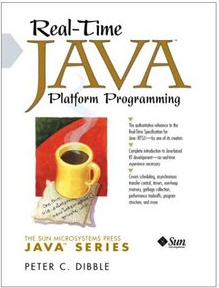
Real-Time Java Platform Programming

Real-Time Java Platform Programming PDF free
Real-Time Java Platform Programming 
Publisher: Prentice Hall PTR | ISBN: 0130282618 | edition 2002 | PDF | 255 pages | 12,1 mb

Real-time programming is critical to the development of a wide range of consumer, industrial, system, and military devices. Using the new Real-Time Specification for Java (RTSJ), developers can create, verify, analyze, execute and manage Java code that ensures the correctness, timeliness, and execution predictability that are essential to real-time programming. This book, written by one of RTSJ's creators, offers a practical introduction to real-time programming for every Java developer -- even those with no real-time experience at all. Replete with example code, this book gives any Java developer the skills and expertise to build powerful real-time applications.

download==>> download here